


Asia / Southeast Asia / Trip planning · 12 min read
You need six apps, not sixty.
What to install before you fly, what to set up on the ground, and the first-day order that makes it work.
Best Travel Apps for Southeast Asia: The Short Answer
The best travel apps for Southeast Asia can make or break your trip — the right toolkit keeps you sane, on-budget, and off the tourist trail. Staying connected across Southeast Asia comes down to having the right apps set up before you land. Below is my field-tested toolkit—what I actually use on the road—plus quick comparisons so you know when each app shines.
The core stack
| App | Category | Best For | Before Trip | Countries |
|---|---|---|---|---|
| Google Maps | Maps | Offline navigation | TH · VN · ID · MY · SG · KH · PH | |
| Grab | Rides | Rides, food & payments | TH · VN · ID · MY · SG · KH · PH | |
| Bolt | Rides | Cheaper rides | VN · ID · MY · SG | |
| Airalo | eSIM | Data before you land | TH · VN · ID · MY · SG · KH · PH | |
| 12Go Asia | Transport | Buses, trains & ferries | TH · VN · ID · MY · KH | |
| Agoda | Hotels | Best hotel prices in SEA | TH · VN · ID · MY · SG · KH · PH | |
| Klook | Activities | Tours & skip-the-line tickets | TH · VN · ID · MY · SG · KH · PH | |
| Google Translate | Language | Menus, signs & camera translate | TH · VN · ID · MY · SG · KH · PH | |
| Wise | Money | ATM withdrawals, zero FX fees | TH · VN · ID · MY · SG · KH · PH | |
| NordVPN | Security | Public WiFi protection | TH · VN · ID · MY · SG · KH · PH |

The City Matrix
Different apps win in different cities
Different apps dominate different cities. Here's a quick grid to help you decide what to load before each leg:
The places these apps have to work in


Before You Go: Planning Apps
Three that actually do something you cannot do in a notes file
The planning three
Flare (iOS/Android)
Built for Southeast Asia specifically. Highlights collaborative itineraries, local recommendations, and group decision-making. Best if: You're traveling with others and need to coordinate.
eSIMs and Data
Buy one before you fly, replace it on the ground Reliable data is essential. Here are your options:Maps and Local Transport
Google Maps is the floor; the rest is situational The backbone of navigation across Southeast Asia. Download offline maps for each city before you arrive. Works offline for navigation (though not for real-time traffic). Best for walking directions and finding restaurants. Setup: Menu → Download → Select area → Download. Takes a few minutes but saves your data plan.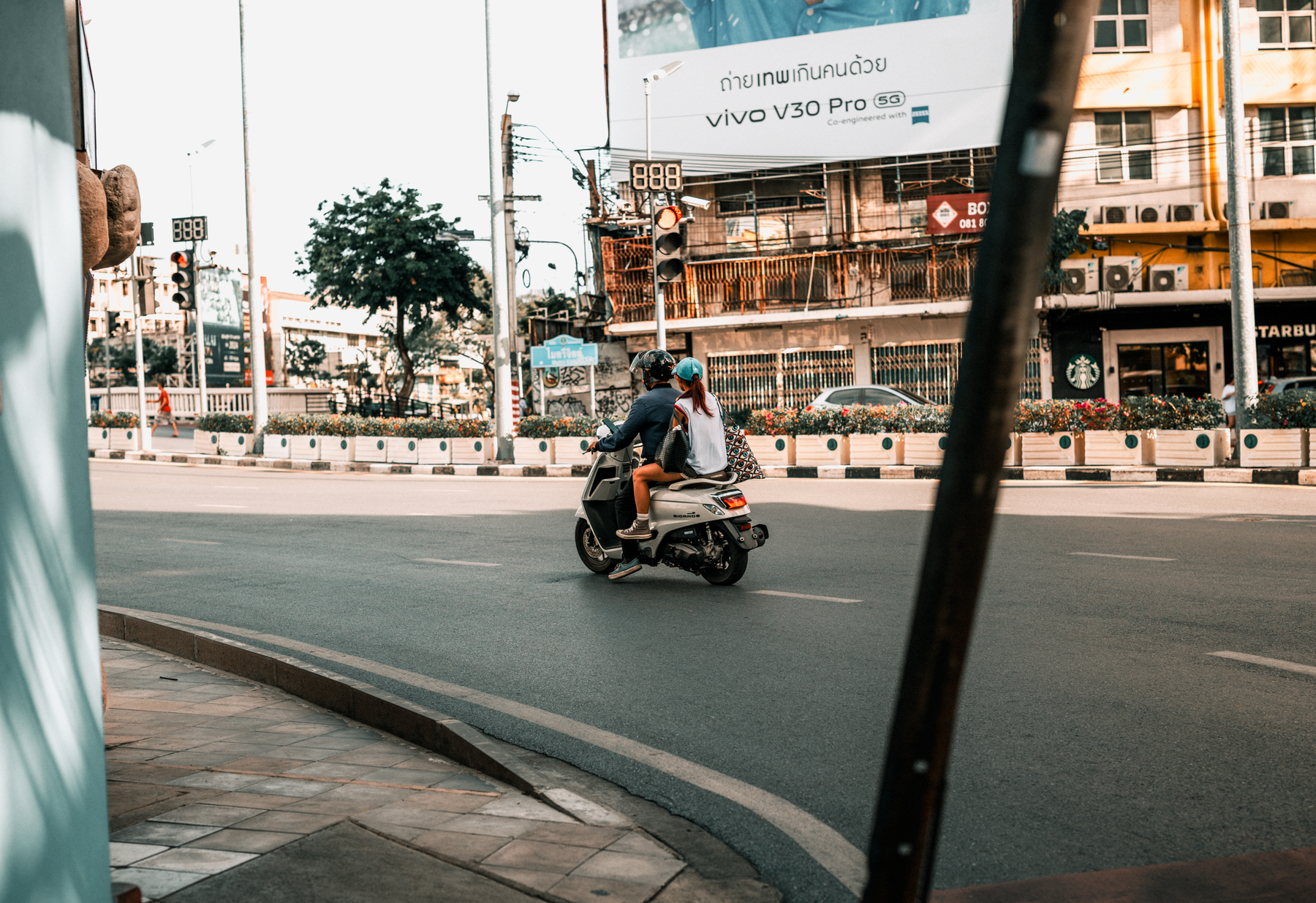 Half of Southeast Asian transport is two-wheeled.

Ride-Hailing: Grab vs Bolt
Download both and check both every timeGrab
Available in: Thailand, Vietnam, Indonesia, Malaysia, Singapore, Philippines, Cambodia Best for: Southeast Asia coverage, built-in food delivery (GrabFood) Pricing: $3–8 USD typical city rides Payment: Card, cash, e-wallet Pros: Widest coverage, driver ratings visible, transparent pricing Cons: Can surge during peak hoursBest Value
Bolt
Available in: Vietnam, Indonesia, Malaysia, Singapore
Best for: Competitive pricing, newer app interface
Pricing: $2–6 USD typical city rides (often cheaper than Grab)
Payment: Card, cash, local e-wallets
Pros: Often cheaper, simple interface, fast driver matching
Cons: Not available in Thailand; smaller driver pool in some cities
Download both. On a given day, one might be cheaper. Always check both apps before booking.
Hotels: Agoda, Booking and Airbnb
Agoda usually wins in this region specifically
Best Price in SEA
Agoda
Best for: Southeast Asia hotels
Pros: Lowest prices in region, local payment methods, instant booking
Cons: Fewer apartment/villa options
Payment: Card, bank transfer, local e-wallets
Most Flexible
Booking.com
Best for: Wide selection, flexible cancellations
Pros: "Free cancellation" deals, global trust, millions of reviews
Cons: Often pricier than Agoda in SE Asia
Payment: Card, PayPal
Best for Long Stays
Airbnb
Best for: Longer stays, local experiences
Pros: Full kitchens, local hosts, community feel
Cons: Higher fees; less reliable in rural areas
Payment: Card only
Activities and Tours
Klook is the regional one
Best for SEA
Klook
Available in: All Southeast Asian countries
Best for: Tours, attractions, skip-the-line tickets across SE Asia
Pricing: Often cheaper than Viator; promotions frequent
Payment: Card, PayPal, local e-wallets
Pros: Best prices in SE Asia; instant confirmations; local guides
Cons: Some tours require meeting at unfamiliar locations
Premium Choice
Viator
Available in: All Southeast Asian countries (via Expedia Group)
Best for: Curated tours, premium experiences
Pricing: Premium pricing; occasionally matches Klook
Payment: Card, PayPal
Pros: Well-reviewed guides; clear cancellation policy
Cons: Less selection; generally pricier
Translation and Menus
Camera translation is the feature that matters
Point your camera at a menu, sign, or ingredient list and get instant translation. Works offline for basic translations. Best for: Decoding restaurant menus, street signs, and pharmacy labels in languages you don't speak.
Tip: Screenshot a menu in-person, then translate it later without data.
Naver's translation app. Covers Southeast Asian languages well. Better for Vietnamese, Thai, and Indonesian than Google in some cases.
The cities, and why the camera matters


Money and Payments
Wise, and the local wallets you cannot open as a visitor
Transfers money at real exchange rates. Set up a multi-currency account before departure. Withdraw from ATMs in local currencies without markup fees. Essential if you're moving money between countries. Cost: Free first transfer; ~$2 per transfer after.
Live exchange rates, historical charts, and fee calculators. Not a payment app—just for reference to understand if you're getting a fair rate.
Thailand: Rabbit Card, Alipay, WeChat Pay Vietnam: Momo, Zalo Pay Indonesia: GoPay, OVO, DANA Malaysia: Touch 'n Go eWallet, GrabPay, Boost, DuitNow QR Singapore: PayNow, Apple Pay
Tipping etiquette: Thailand and Singapore don't expect tips (already included). Vietnam, Cambodia, and Philippines: 10% appreciated but not mandatory. Indonesia and Malaysia: No tipping expected unless exceptional service. For food recommendations and cultural tips, see our island guide.
Safety and Admin
A VPN, the airline apps, and scans of everything
Southeast Asia has mixed internet security. Use a VPN on public WiFi to protect banking, email, and payment info. Download before departure since many VPNs are blocked once you land.
Download apps for AirAsia, Thai Airways, Singapore Airlines, Malaysia Airlines, Vietnam Airlines, Garuda, and any carrier you're flying. Mobile boarding passes, real-time updates, baggage tracking.
Backup copies of your passport, travel insurance, and hotel bookings in the cloud. Scan them before departure. Saves you in case of theft or loss.
Paying for Things: Cash, QR and Card
The gap between what the app says and what the stall takes
The apps in this guide are good at getting you somewhere. Paying once you arrive is where visitors most often find the stack does not reach.
Cash is still the floor. Street stalls, markets, small guesthouses, local buses and most of the best food in the region are cash-only, and will stay that way. The apps change where you book and how you move; they do not change how you buy a bowl of noodles. Withdraw in reasonable amounts, because per-withdrawal ATM fees in Thailand and Vietnam are high enough that four small withdrawals cost meaningfully more than one larger one.
QR payment is everywhere and mostly closed to you. Thailand’s PromptPay, Vietnam’s VietQR, Indonesia’s QRIS and the Philippines’ QR Ph have made domestic phone payment close to universal. Almost all of them are tied to a local bank account, which a short-term visitor cannot open. You will see every person ahead of you in the queue pay by scanning a code and then you will hand over a note. That is normal, not a failure of preparation.
Cards work in a narrow band. Hotels, malls, chain restaurants and tourist-facing businesses take them. Everywhere else does not. When a terminal offers to charge you in your home currency, decline and pay in the local one, because the conversion offered at the terminal is consistently worse than your bank’s.
Grab is the exception worth setting up. Adding a card to Grab lets you pay for rides and food delivery without cash, which is the one piece of the local payment system that is genuinely open to visitors. Do that before you land rather than in the back of a car.
Cash is the floor. Street food, markets and local buses stay cash-only.
Withdraw larger amounts less often. Per-withdrawal ATM fees are high.
Local QR systems are tied to local bank accounts. You cannot use them.
Always decline the terminal’s offer to charge in your home currency.
Add a card to Grab before you fly. It is the one that does work.
Where the Stack Breaks
Four predictable failures, and what to do instead
Every app in this guide has a place where it stops working, and knowing those places in advance is more useful than the app list itself.
Coverage is not uniform. Grab is strong across Thailand, Vietnam, Indonesia, Malaysia, Singapore and the Philippines, and thin to absent in Laos, Myanmar and much of Cambodia outside the main cities. In those places the answer is a negotiated tuk-tuk price agreed before you get in, or your guesthouse arranging a driver, which is usually better value than either app.
Map data thins out fast outside cities. Google Maps is excellent in Bangkok and unreliable on a Lao backroad, where tracks that look like roads are sometimes footpaths and a marked bridge may not exist. Offline maps help with the base layer and not at all with whether the route is real. For rural routing, ask locally and treat the app as a second opinion.
Ferry and bus times are indicative. Booking platforms sell real tickets against timetables that operators change without updating anyone. Reconfirm the day before, particularly for island ferries, and particularly outside high season when services thin without notice.
Your phone is a single point of failure. One stolen or drowned phone takes the maps, the tickets, the bookings and the payment method with it. Screenshot the things you cannot recover without data: your route, the hotel address in local script, your booking references, and the first bus time. Paper still works.
When the app fails
No Grab coverage
Agree a tuk-tuk price before getting in, or have the guesthouse call a driver
Rural map data
Ask locally. Treat offline maps as a base layer, not a route
Ferry and bus times
Reconfirm the day before. Timetables change without notice
Lost or dead phone
Screenshots and a written hotel address in local script
Notes and Photos
Two that are worth the space
Create a shared trip notebook with contact info, addresses, costs, and daily reflections. Syncs across devices offline if needed.
Free photo editing. Enhance shots from your phone camera before sharing on Instagram.
Pro Tips
The habits that stop the stack failing
Download offline maps first. Data can be spotty in islands and rural areas. Download Google Maps for each city before you leave.
Test logins before departure. Set up Wise, Google, Grab, and Agoda at home. Confirm payment methods work. Nothing worse than discovering a locked account at the airport.
Turn on airplane mode, then toggle data. This prevents surprise roaming charges while you arrange a local SIM or eSIM.
Share your live location with a trusted friend. Google Maps, WhatsApp, or Find My app. Peace of mind for solo travelers.
Backup your itinerary offline. Screenshot your confirmations. Apps crash; screenshots don't.
Screenshot transport schedules. Bus, train, and flight times disappear fast when you're in a different time zone. Visual backup saves stress.
Your First Day, in Order
What to do in the first few hours on the ground
Here's exactly what to do in the first few hours on the ground:
The first-day flow
Arrival at airport
Turn off airplane mode. Grab your eSIM data (Airalo). Test that data works. Do not leave the terminal without connectivity.
Find the SIM card desk
Most airports have a local carrier counter (AIS, Viettel, Telkomsel, etc.). Buy a local SIM. Costs $2–10. Activation takes 5 minutes. Your new phone number: write it down.
Update your family
Text or email your emergency contact. Let them know your new local number (or that you're now reachable via WhatsApp).
Download offline maps
Open Google Maps. Search your hotel area. Menu → Download → Download offline. Spend 5 minutes doing this while you have fresh data.
Open Grab/Bolt
Set your pickup location (airport), destination (hotel). Confirm the price before confirming the ride. This is your first reality check on local pricing.
Get to your hotel
Check in. Ask the front desk: "What's the WiFi password?" and "How do I get to [landmark/restaurant] from here?" Write it down or screenshot their hand-drawn map.
Rest, eat, sleep
Jet lag is real. Grab dinner somewhere familiar (use Grab's food delivery, or Google Maps for reviews), rest well, and start exploring tomorrow with a clear head.
Pre-Flight Checklist
Everything set up before you leave home
Google account set up and recovery phone number current
Wise account created with multi-currency card (order if needed; takes 1–2 weeks)
Agoda and Booking accounts created with verified payment method
Grab account set up with payment method (card or cash option enabled)
Offline Google Maps downloaded for your first 2–3 cities
VPN downloaded and tested (NordVPN or ExpressVPN)
All airline apps downloaded with booking references confirmed
ESIM purchased (Airalo) if needed, or local SIM research done
Backup copies of passport, visa, travel insurance scanned and stored (cloud)
Travel insurance booked and policy number saved
The Stack That Works
Six apps, set up properly, beats sixty
Southeast Asia isn't a place where you need dozens of apps. You need the right apps—and you need to test them before you land. The stack I've outlined above covers 95% of your travel needs: navigation, transport, accommodation, food, payment, and safety.
Download them now. Create accounts. Test your payment methods. Download offline maps. Then—you can relax knowing that the moment you land, you're ready to explore, not scramble.
Before you go
Do I need both Grab and Bolt?
Yes. Grab has better coverage across Southeast Asia, but Bolt is cheaper in major cities (Vietnam, Indonesia, Malaysia, Singapore). Download both and compare prices before booking. Takes 10 seconds; saves you $2–5 per ride.
Which is better: Agoda or Booking.com?
For Southeast Asia, Agoda usually has lower prices and faster booking. Booking.com is better if you want maximum flexibility (free cancellations). Best practice: Check both. Sometimes Booking has a last-minute deal; sometimes Agoda beats it by 30%.
Should I buy travel insurance in an app, or online before departure?
Buy it online before you leave home. SafetyWing (affordable, covers medical) or World Nomads (adventure activities) are popular with backpackers. Once you're in Southeast Asia, getting sick and *then* buying insurance means pre-existing condition clauses kick in. Prevention is cheap; claims processing abroad is a nightmare.
Will Google Maps work without an internet connection?
Yes, for navigation and basic searches. But live traffic, real-time transit, and restaurant photos require data. Download your offline maps, keep WiFi on when you can, and buy local data. Problem solved.
Can I use my credit card directly in Southeast Asia, or should I rely on Wise?
You can use your credit card, but Wise is usually cheaper. Credit cards charge 2–3% foreign transaction fees. Wise charges none (you get the real mid-market rate). For large purchases or ATM withdrawals, Wise saves you $10–30+ per trip. For small transactions, your card works fine. For hotel bookings and flights, either is safe.
What happens if my apps crash while I'm navigating?
Screenshot your route before you leave your hotel. Screenshot bus schedules, flight times, and confirmation numbers. This is your insurance policy. If the app dies, you still know where you're going and when. Takes 30 seconds; prevents 30 minutes of panic.
Which apps should I install before I fly to Southeast Asia?
Google Maps with offline maps downloaded, an eSIM app such as Airalo, Grab, Agoda and Wise. Everything else can be added once you have data on the ground. Set up accounts and test payment methods at home, not at the airport.
Is an eSIM or a local SIM better in Southeast Asia?
Both. An eSIM gets you online the moment you land, which is when you most need a map and a ride. A local SIM bought at the airport or a convenience store is cheaper and usually faster for a longer stay. Use the eSIM as the backup.
Keep going
Sources
App coverage, connectivity and payment detail checked against the operators and official sources below · Grab · Bolt · Agoda · 12Go Asia · Wise · Airalo · Klook · Google Maps · Google Translate · UK travel advice · US travel advisories · ITU (connectivity data)
We will tell you whether we can help and send a written quote before any paid work begins.